
Google Play Console — Complete 2026 Series
Here we will explain how to create a Google Play Developer Account in 2026, walking through the method step by step and how to prepare for the registration process. First, enable 2-Step Verification on your Google account. Second, have a valid payment card with sufficient funds to cover the registration fee, which is a one-time $25 USD (twenty-five US dollars).
Google Play Console developer account fee 2026 official remains $25 one-time. Choose Personal Account (requires closed test with 12 testers) or Organization Account (requires a D-U-N-S number).
You'll need your National ID card, public developer name, support email, and country. For companies, the Google Play Console organization account D-U-N-S number required in 2026 is mandatory.
Table of Contents – 2026 Guide
Getting Ready to Start – Prerequisites 2026
Before you begin, ensure you meet all Google Play developer account requirements 2026:
- You must have a Google account (Gmail) with 2-Step Verification enabled.
- A valid credit card or payment method with $25 USD (one-time registration fee).
- For Organization accounts: a D-U-N-S number (9-digit identifier).
- Official ID (National ID or passport) for identity verification.
👉 Direct link to sign up: Google Play Console Signup
$25 One-Time Fee
The Google Play Console registration fee 2026 official is a one-time $25 USD. No annual subscription.
Organization: D-U-N-S required
Personal: 12 testers / 14 days
Create Account Now →Choosing the Account Type
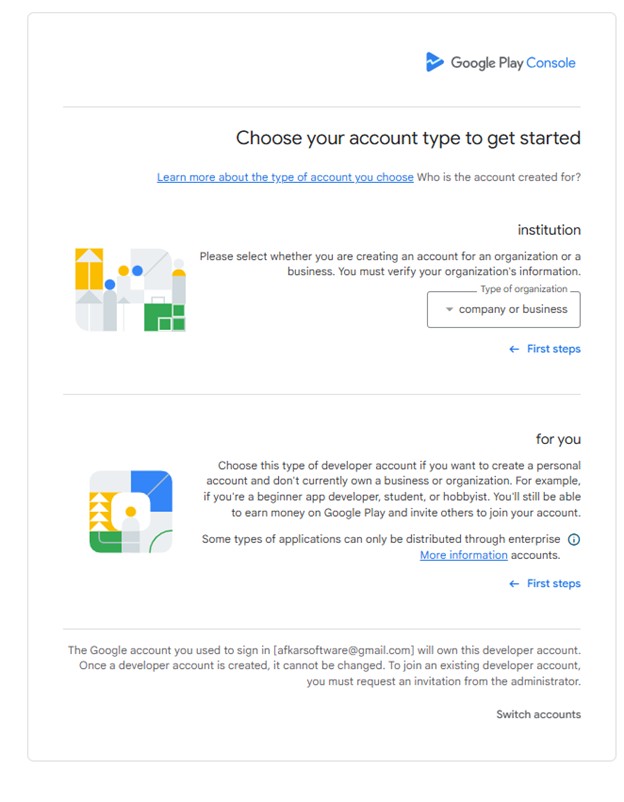
You cannot switch from a personal account to an organization account later. Choose wisely.
Organization Account (Company)
- Requirement:D-U-N-S number (9-digit identifier) – takes days to weeks to obtain.
- Mandatory for financial apps, banking, crypto wallets, FinTech, health, government, VPN apps.
- Benefit: No closed testing requirement (no need for 12 testers over 14 days).
- The Google Play Console organization account D-U-N-S number requirement 2026 is strictly enforced.
Personal Account
- Requirements: National ID card + payment method.
- Testing:Closed test with 12 testers for 14 consecutive days (mandatory for accounts created after Nov 2023).
- Your name, address, and country are publicly visible.
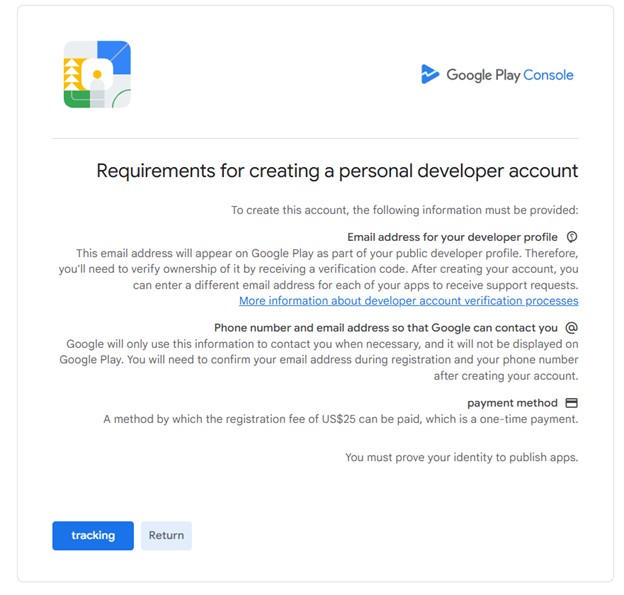
Requirements Page – What You Need
All Google Play Console account requirements 2026 before starting:
- Public Email Address: Visible on Play Store for user support (requires verification).
- Private Contact Info: Email + phone for Google (not public).
- Registration Fee:$25 USD one-time – official Google Play developer registration fee 2026 one-time $25.
- Identity Verification: Official ID (National ID / Passport) to publish apps.
🌍 Google Play Console registration fee India 2026 is also $25 USD (equivalent in INR, plus taxes if any).
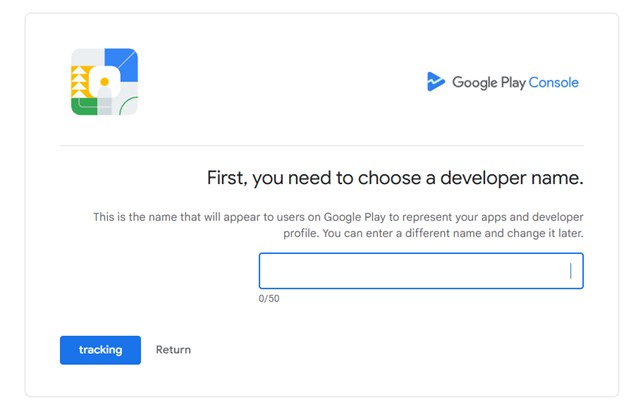
Entering the Developer Name
This is your trade name (can be changed later). It distinguishes your apps on the Play Store.
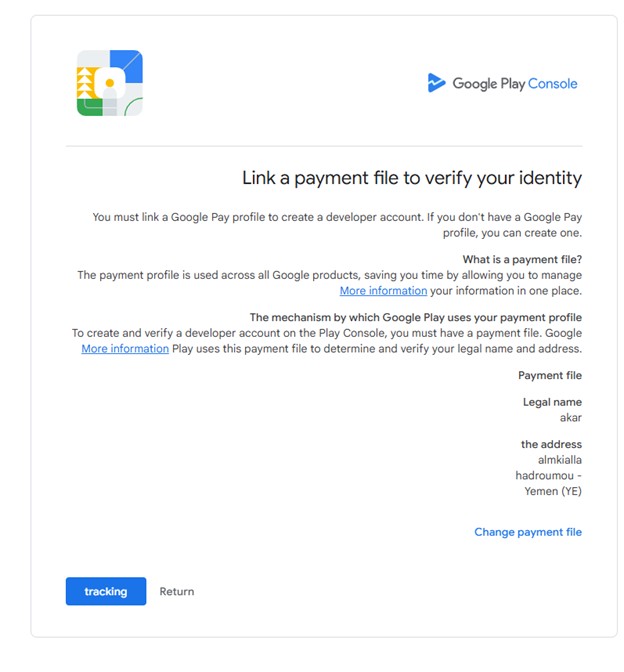
Linking the Payment Profile to Developer Identity
You must link or create a Google payment profile. Without it, you cannot create a Google Play Developer account.
- Google verifies your identity and address through payment info.
- This ensures data accuracy across Google services.
- The $25 one-time fee is charged via this profile.
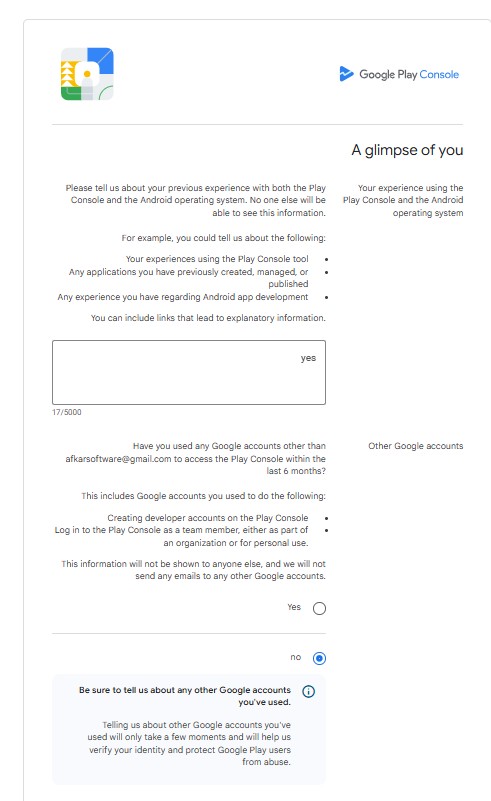
A Glimpse About You
Google asks about your experience in building apps and technologies. Write a brief statement.
Other Google Accounts
- No: Confirms this is your only Google Play Console account.
- Yes: You must list other accounts you own (prevents policy violations).
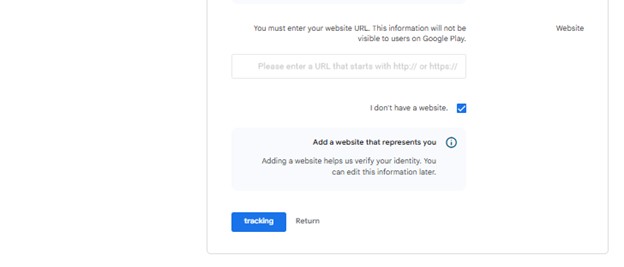
Website Requirements
Even without a personal website, Google requires a URL starting with https://. Alternatives:
- GitHub account
- LinkedIn account
- Social media accounts
Applications – Number & Categories
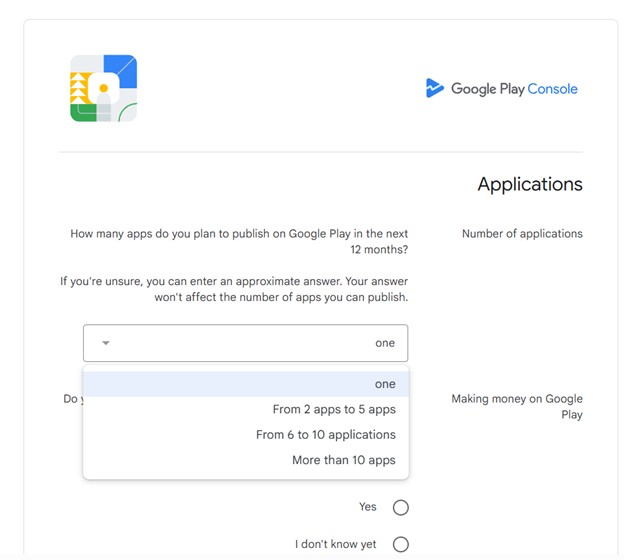
Number of Applications (next 12 months)
- Only one app
- 2 to 5 apps
- 6 to 10 apps
- More than 10 apps
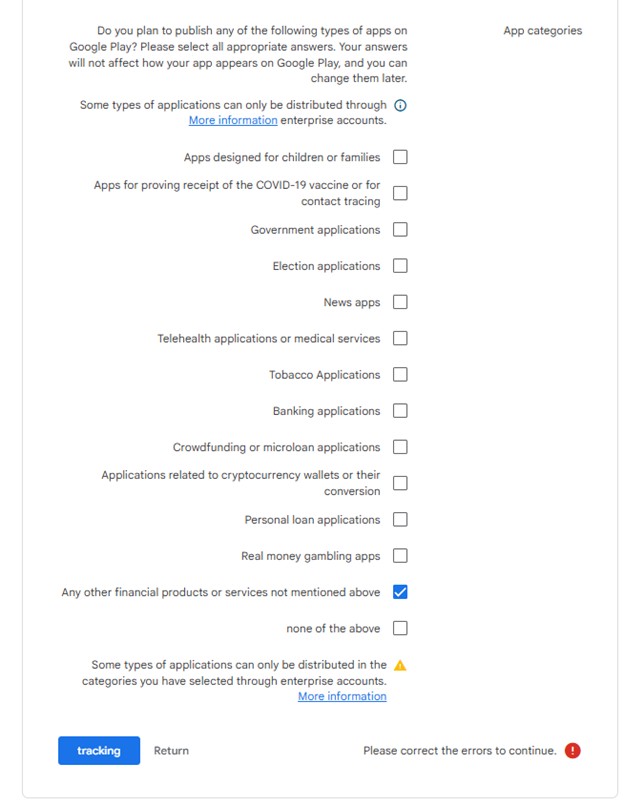
App Categories
Select all that apply (you can change later; does not affect visibility).
Examples: Finance, Health, Gaming, Tools, etc.
Frequently Asked Questions – Google Play Developer Account 2026
Ready to publish your app?
The Google Play developer account one-time fee 2026 is just $25. No hidden costs.
Start Registration →Official Google Play Console signup – one-time $25 USD